
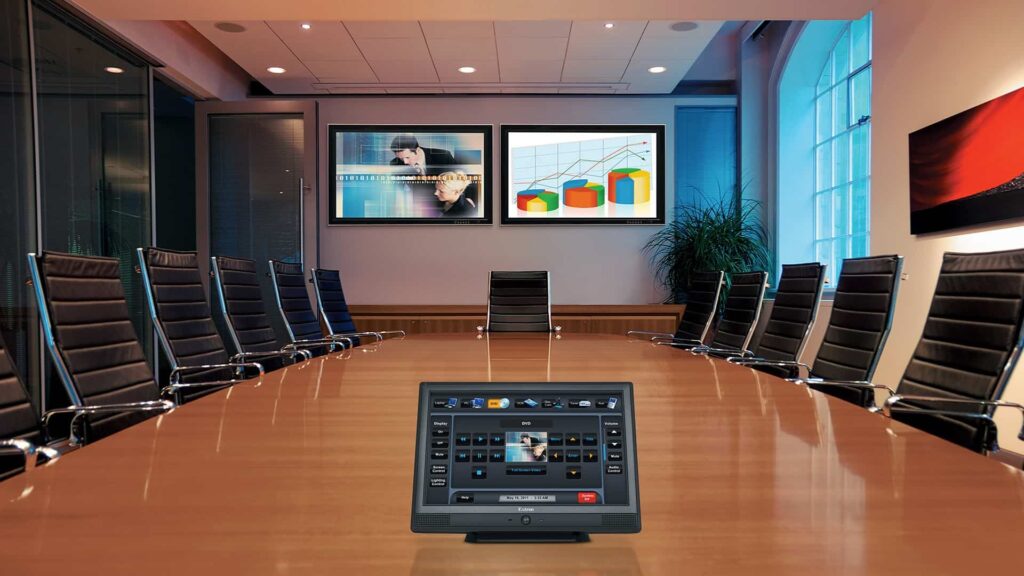
Security Operations Displays & Video Walls
Integrate monitoring displays, operator workstations, video walls, and control-room connectivity with the security systems they support.
What this service covers
Each display position is reviewed against the sightlines, source paths, mounting surface and operator tasks it serves, so the room works as one system.
Some rooms arrive with a finished drawing set and equipment list. Others arrive as a bare wall, a camera count and a shift that has to watch it. 24/7 Security works from either.
Typical scope
- Operator viewing and incident workflows
- Display, decoder, workstation, and source planning
- Network, power, furniture, and sightline coordination
- Failover, permissions, and maintenance access
Project deliverables
Whoever sits at the console next month needs these records.
How the work moves forward
Rooms come together in order: rough-in, display and console mounting, signal build, then operator checks.
Discover
Observe a shift, viewing distances and the sources watched.
Define
Set pane counts, mount type, signal path and acceptance tests.
Deploy
Stage mounts and displays around occupied console hours.
Verify
Route sources to panes under test, then record what passed.
Where this service fits
Wall and console work sits downstream of the camera, access and intercom systems it displays, so it can run with those trades or on its own.
- New commercial installations
- Expansion or standardization across multiple facilities
- Replacement of unsupported or unreliable systems
- Integration and operational improvement
Build a clearer scope
Tell us the room dimensions, how many operators sit there, and what they need on screen.
Security Operations Displays: decisions that change the scope
Commercial AV planning begins with audience, room use, content sources, speech, camera views, control and support expectations. Displays and speakers are only the visible layer; structure, power, network, acoustics, sightlines and user workflows determine whether a room is dependable.
What the survey and work plan must resolve
Settle these four items before anyone orders a display or drills into a wall.
Room purpose
Define presentation, collaboration, training, signage or event functions and user groups.
Signal and network
Map sources, destinations, AV-over-IP, control, USB, bandwidth and security ownership.
Mounting and acoustics
Verify structure, sightlines, sound coverage, microphone pickup, ventilation and service access.
User operation
Create simple startup, source, call, volume, shutdown and support workflows.
Completion evidence for security operations displays
Records name the owner of each wall, console and display, plus who to call when a pane goes dark. Logins stay in the repository the client approves.
- Input-to-output and conferencing tests
- Speech intelligibility and camera framing checks
- Control presets, accounts and software versions
- As-built signal flow, labels and user handoff
Why is a site survey still needed?
Wall construction at the display locations, existing conduit and the hours the console stays staffed move the number. Field measurement settles them.
What should be available before scheduling?
Send photos of the wall, the equipment room feeding it, and the closeout format your team requires, along with the operator count the room has to seat.
Detailed planning and product-family guides
Planning material below works through wall geometry, console placement and the tradeoff between budget pressure and legible text.